Graceful Shutdown
On this page
You need to deploy a new version of your app. You send a SIGTERM to the running process. What happens to the 50 requests currently being processed? To the background jobs halfway done? To the database connections?
If you just kill the process, those requests get dropped. Users see errors. Data gets corrupted. That’s why graceful shutdown exists.
The Problem with Hard Kills
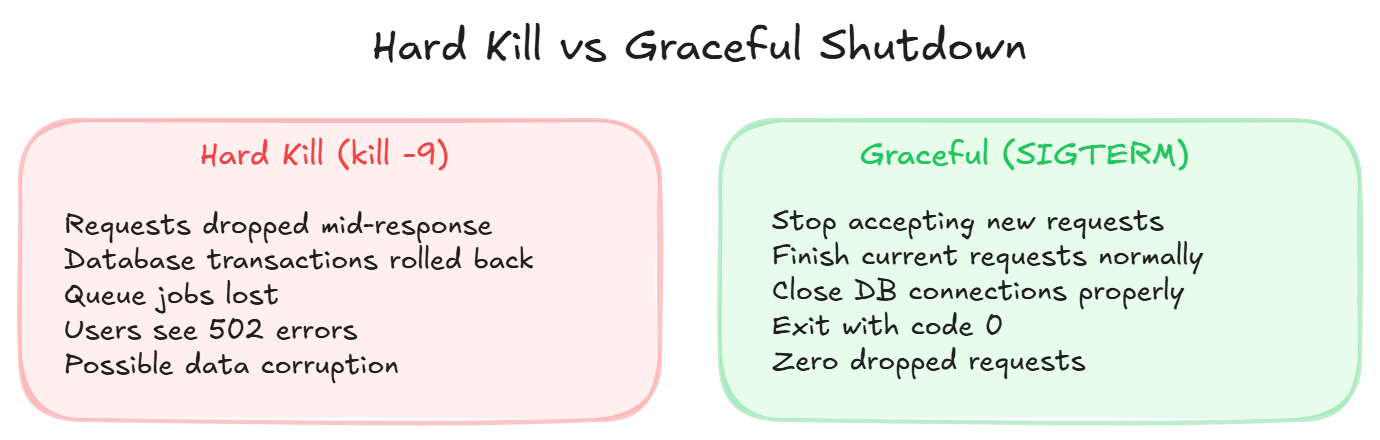
A hard shutdown (kill -9) immediately terminates everything:
- In-flight requests get no response
- Database transactions get rolled back
- Queue jobs disappear mid-processing
- WebSocket connections drop without warning
Users see 502 errors. Data might be in an inconsistent state.
The Graceful Shutdown Pattern
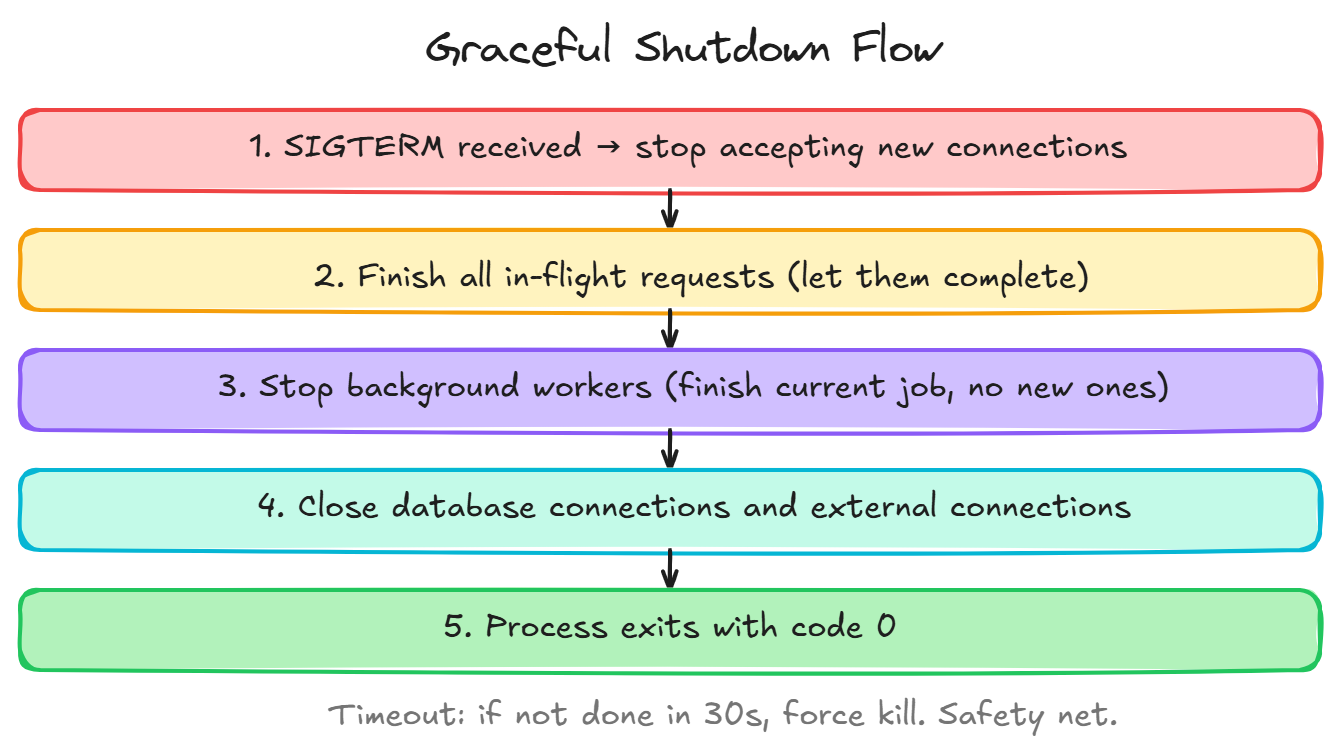
When your app receives SIGTERM (the polite “please stop” signal):
- Stop accepting new connections, tell the load balancer you’re going away
- Finish in-flight requests, let current requests complete normally
- Close background job processing, finish current job, don’t pick up new ones
- Close database connections, drain the connection pool
- Exit cleanly, process terminates with code 0
All of this should happen within a timeout (typically 30 seconds). If the app hasn’t shut down by then, force kill it.
Why This Matters in Production
In Kubernetes, Docker, and most cloud platforms, deployments work by:
- Starting the new version
- Sending SIGTERM to the old version
- Waiting for graceful shutdown
- Force-killing if the timeout expires
If your app doesn’t handle SIGTERM, every single deployment causes dropped requests. That’s potentially hundreds of errors every time you push code.
Health Checks and Readiness
Two related concepts:
Liveness probe, “Is this process alive?” If no: restart it. Readiness probe, “Can this process handle traffic?” If no: stop sending it traffic.
During shutdown, your app should:
- Immediately fail readiness checks (“don’t send me new traffic”)
- Stay alive long enough to finish existing work
- Then exit
Wrapping Up
- Always handle SIGTERM in your application
- Stop accepting new work first
- Finish what you’re already doing
- Close connections cleanly
- Implement a forced timeout as a safety net
- This is critical for zero-downtime deployments
Day 17 of 95 | Backend Engineering Series