HTTP and How the Web Actually Talks
On this page
Everything your backend does happens over HTTP. Every API call, every page load, every file upload. It’s the most important protocol to understand as a backend engineer, and honestly, it’s simpler than people make it sound.
What HTTP Actually Is
Strip away all the abstraction and HTTP is embarrassingly simple. It’s a text-based conversation format. Client sends a block of text. Server sends a block of text back. That’s the entire protocol.
It’s like two people passing notes:
Note 1 (Request): “Hey, I’d like the list of users, page 2 please. Here’s my ID badge so you know I’m allowed.”
Note 2 (Response): “Sure thing, here’s 20 users. There’s 156 total if you want more pages. This data is fresh for the next hour.”
That’s HTTP. Structured note-passing over a network.
Dissecting a Real Request
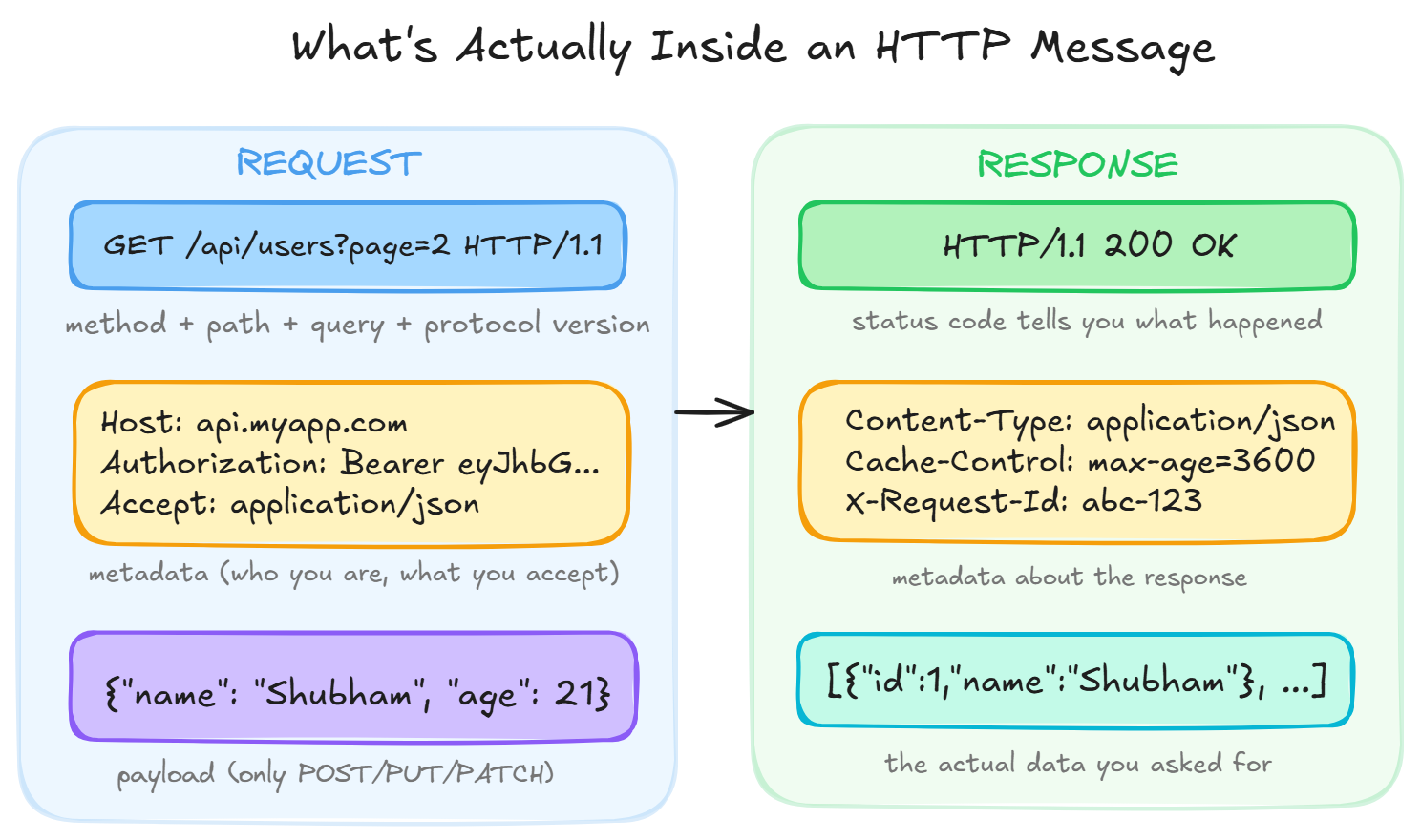
When your browser hits https://api.myapp.com/users?page=2, it sends something like this over the wire:
GET /users?page=2 HTTP/1.1
Host: api.myapp.com
Authorization: Bearer eyJhbGciOiJIUzI...
Accept: application/json
User-Agent: Mozilla/5.0
Let’s break it apart:
Line 1, The request line (this is everything)
GET, the method (what you want to do)/users?page=2, the path + query params (which resource, with what filters)HTTP/1.1, the protocol version
The rest, Headers Key-value pairs of metadata. The server needs these to understand context:
- Who you are (
Authorization) - What format you want back (
Accept) - Which app you’re hitting (
Host, important when one server hosts multiple domains)
The body (not present in GET requests) For POST/PUT/PATCH, you’d also send a body, the actual data payload. Usually JSON:
{"name": "Shubham", "email": "shubham@example.com"}The Response Coming Back
HTTP/1.1 200 OK
Content-Type: application/json
Cache-Control: max-age=3600
X-Request-Id: req_abc123

[{"id": 1, "name": "Shubham"}, {"id": 2, "name": "Priya"}, ...]
Status line: 200 OK, it worked.
Headers: metadata about the response (format, caching rules, request ID for debugging).
Body: the actual data.
HTTP Methods, The Five Verbs You’ll Live In
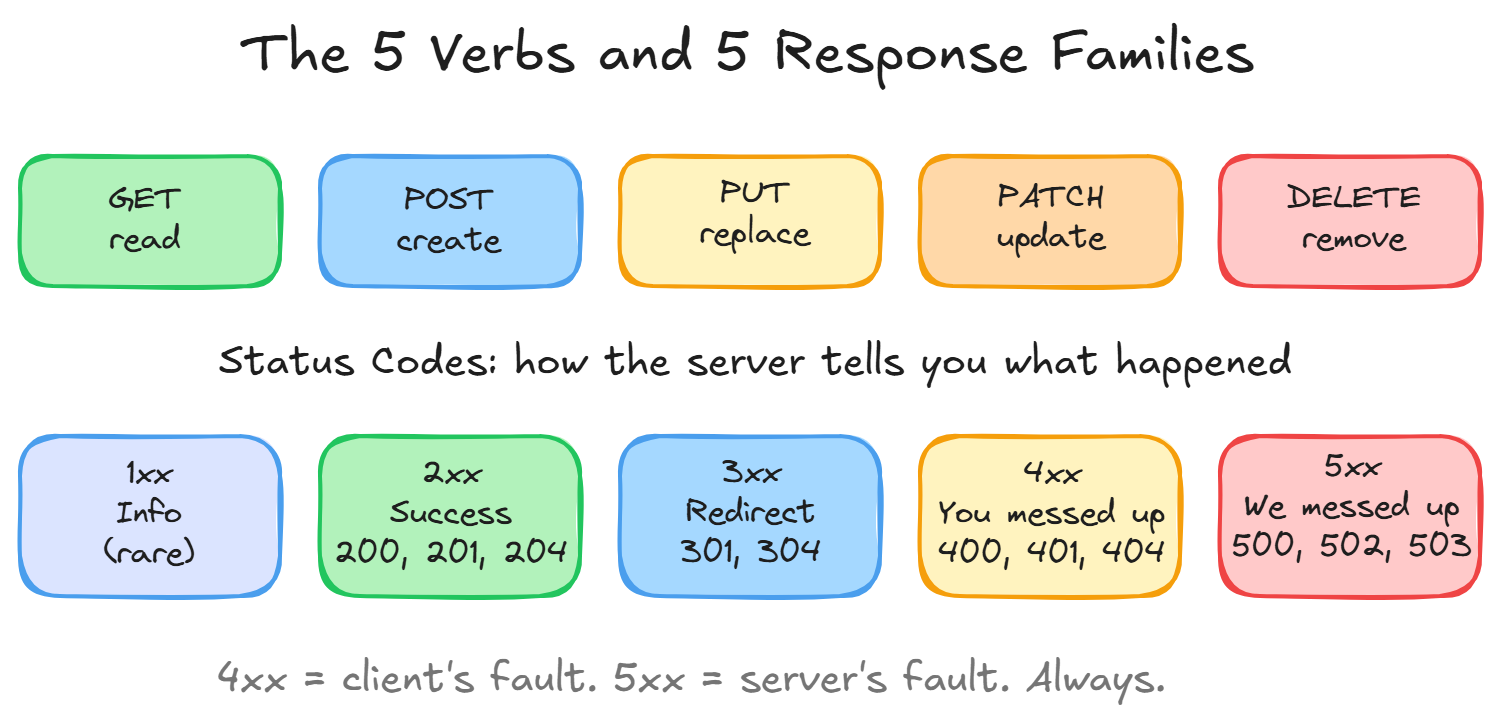
| Method | Intent | Has body? | Idempotent? | Safe? |
|---|---|---|---|---|
| GET | Read a resource | No | Yes | Yes |
| POST | Create something new | Yes | No | No |
| PUT | Replace a resource entirely | Yes | Yes | No |
| PATCH | Modify part of a resource | Yes | Yes* | No |
| DELETE | Remove a resource | Rarely | Yes | No |
Idempotent means: doing it twice has the same effect as doing it once. DELETE /users/42, whether you call it once or ten times, user 42 is gone. POST /users is NOT idempotent, call it ten times, get ten users.
This matters because network requests can fail and get retried. If a timeout happens during a POST, the client doesn’t know if it succeeded. That’s why payment APIs use idempotency keys.
Safe means: it doesn’t change anything. GET just reads. You can call it a million times without side effects.
Status Codes, The Server’s Emotional State
Status codes are grouped in families:
2xx, “All good”
200 OK, standard success201 Created, new resource made (response includes it)204 No Content, success but nothing to return (common for DELETE)
3xx, “Look over there”
301 Moved Permanently, URL changed forever, update your bookmarks304 Not Modified, your cached version is still good, don’t re-download
4xx, “You messed up” (client errors)
400 Bad Request, your data is malformed/invalid401 Unauthorized, you didn’t authenticate (should be called “Unauthenticated”)403 Forbidden, you’re authenticated but lack permission404 Not Found, that resource doesn’t exist409 Conflict, can’t do this (e.g., email already taken)429 Too Many Requests, you’re being rate limited, slow down
5xx, “We messed up” (server errors)
500 Internal Server Error, unhandled exception, something crashed502 Bad Gateway, an upstream service the server depends on is broken503 Service Unavailable, server overloaded or in maintenance504 Gateway Timeout, upstream service took too long
The distinction between 4xx and 5xx is crucial: 4xx means the client should change their request. 5xx means the client should retry later (it’s not their fault).
Headers That Matter in Real Life
You’ll encounter hundreds of headers. These are the 10 you’ll use daily:
| Header | Direction | Purpose |
|---|---|---|
| Content-Type | Both | What format is the body? (application/json) |
| Authorization | Request | Auth token (Bearer token) |
| Accept | Request | What formats the client understands |
| Cache-Control | Response | How long to cache this |
| Set-Cookie | Response | Store a cookie in the browser |
| X-Request-Id | Both | Trace a request through logs |
| Access-Control-Allow-Origin | Response | CORS, who can call this API |
| Content-Length | Both | Size of the body in bytes |
| Rate-Limit-Remaining | Response | How many requests you have left |
| Retry-After | Response | When to try again (after 429/503) |
The Stateless Nature of HTTP (Critical to Understand)
HTTP has no memory. Period. Every request is independent. The server doesn’t “remember” that you authenticated 2 seconds ago.
This feels limiting but it’s actually a massive architectural advantage:
- Any server in a cluster can handle any request (no session affinity needed)
- You can scale horizontally without coordination
- Requests can be cached, replayed, and load-balanced freely
The “statefulness” you experience (staying logged in, shopping carts persisting) is faked using tokens, cookies, and databases, not HTTP itself.
Connection Reuse: Keep-Alive and HTTP/2
A quick note on performance. In HTTP/1.1, each request-response uses one connection. Opening connections is expensive (~50ms for TCP + TLS handshake). So connections are kept open (Connection: keep-alive) and reused for multiple requests.
HTTP/2 goes further: multiple requests fly over a single connection simultaneously (multiplexing). HTTP/3 uses QUIC (over UDP) to eliminate head-of-line blocking.
As a backend developer, you mostly don’t worry about this, Nginx handles it. But it explains why modern pages with 50+ resources still load fast.
Wrapping Up
HTTP is deceptively simple:
- Text-based request-response protocol
- 5 methods (GET, POST, PUT, PATCH, DELETE) cover 99% of needs
- Status codes communicate what happened
- Headers carry metadata
- The body carries data
- Stateless by design, every request stands alone
Master this deeply. When you’re debugging a 401 vs 403, or wondering why CORS is failing, or figuring out why your cache isn’t working, the answer is always in the HTTP layer.
Day 3 of 95 | Backend Engineering Series